

Hello and thanks for landing here! First of all, I would like to tell that “I LOVE BOOTSTRAP A LOT”! Hope you will enjoy the information.
I started using Bootstrap framework about almost 2 years ago when I did not understand what Bootstrap was or why I would build websites using Bootstrap. Since then, I have built 3 bootstrap application’ front end and 5 bootstrap sites for my company and now I can give reasons for using or choosing Bootstrap framwork for building a website or an application. Bootstrap as a framwork, is more than a website theme with a unique set of icons, fonts, styles and web page templates. We can consider bootstrap as super theme (technically a superset of HTML, CSS, and Javascript functionalities). The Bootstrap framework is an open source project which was initially built by a designer and developer from Twitter, has now turned out to be one of the most famous / trendy front-end frameworks in the whole world. Before it became open-source, Bootstrap was firstly identified as Twitter Blueprint. Bootstrap is responsive, mobile-first, prevailing, and front-end framework, which is developed along with CSS, JavaScript, and HTML. Bootstrap has many benefits from scratch for every web development project, and one such reason is the huge number of resources accessible for Bootstrap. If you as a web designer or web developer or new to using Bootstrap framwork, I would like to put forward some of the best reasons that will help you in using Bootstrap for remarkable web designs.
1. Bootstrap is Easy to Use
Bootstrap is an extremely, easy and speedy procedure to start with. Bootstrap is very adaptable too. As a web designer and/or programmer, you don’t code to reinvent the wheel. Bootstrap offers LESS files as well as old CSS as per the user convenience. and also available with SASS (You can also download the SASS version of bootstrap too). The Bootstrap libraries offer readymade pieces of code that can pump life into a website.
2. Bootstrap is Responsive
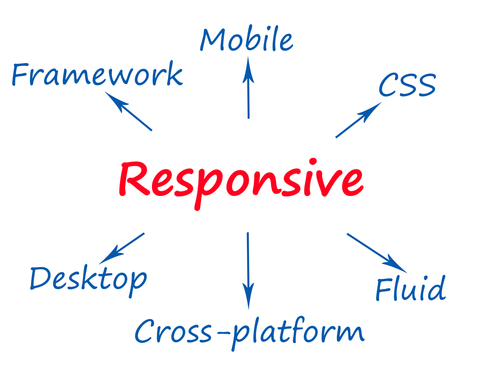
These days the internet world having more mobile users than any other devices so it is very important to have your website both mobile device and browser friendly. The requirement to have a responsive website has become compulsory and important too as the fluid layout amends vigorously as per the appropriate screen resolution, thus crafting a mobile-ready site has become smooth and easy task with Bootstrap framework. Gentle thanks to Bootstrap fluid grid layout as it adapts to the change in platforms with super speed and efficiency.
3. The Speed of the Development
The most important benefits of using bootstrap is it speed up development. Instead of start coding from scrape, Bootstrap allows you to use ready-made coding blocks which help to build the foundation quickly. CSS-Less and cross-browser compatibility help developer to save ample hours of coding and speed up development. You can also buy ready-made Bootstrap themes which fits your requirement, for gaining the quickest potential route.
4. Great Grid System
This is the strongest part of the bootstrap framework. Bootstrap is built on responsive 12-column grids, layouts and components, that is it adjusts itself depending on / as per the device resolution of the client. It also upholds offset and nested elements. With bootstrap ready-made classes that have been defined in sync with the device resolution that they represent, you can specify at any place your column to load horizontally rather than vertically. These grids have classes xs, sm, md and lg each representing a device resolution. It is very handy when you want to hide some content at some particular screen size. Adding a class such as .visible-desktop to a element, will make it visible only for desktop users. There are similar classes for tablets and phones. All the developer needs to do is include these classes while defining the visibility of an element in the markup. The responsive grid makes developing responsive websites really easy using bootstrap.
5. Base Styling for Most HTML Elements
A website has many different elements such as headings, lists, tables, buttons, forms, etc. All these fundamental HTML elements have been styled and enhanced with extensible classes.
The HTML elements for which styles are provided are:
- Typography
- Code
- Tables
- Forms
- Buttons
- Images
- Icons
6. Extensive List of Components
While developing any website we uses many components like alert boxes, Drop downs, labels etc. these all are covered in bootstrap framework already. These all component are already pre-styled in bootstrap. Styling of every single element follows a consistent theme and if you know LESS, then customizing it takes just few minutes.
Some pre-styled components are:
- Dropdowns
- Button Groups
- Navigation Bar
- Breadcrumbs
- Labels & Badges
- Alerts
- Progress Bar
- And many others…
7. Bundled Javascript plugins
The components such as drop down menu are made interactive with the numerous JavaScript plugins bundled in the bootstrap package. If you project requires sliders, tabs, accordions, then you no longer have to try and test numerous different plugins across the web. Adding these functionalities is just a matter of adding few lines of code and you are all set. With the customization option you can also choose only certain plugins to keep the file size to a minimum.
8. Saves Development Time
The Bootstrap libraries offer readymade pieces of code that can pump life into a website. You can simply find the right piece of code and fit it into the structure you’re working on instead of spending time on writing code laboriously. And to those who don’t know much of designing it is life saver with time saver.
9. Bootstrap Is Internally Consistent
Co-Founder Mark Otto had described Bootstrap was built using core concept “Pairing Designers With Developers” and was developed with an idea to give developers a centralised development code. Your Bootstrap site could be handed over to any other Bootstrap experienced developer, and the web interface would remain consistent. Bootstrap provides you the end result which is uniform across platforms for example, the menubar would function the same no matter which Bootstrap developer had last updated it. This consistency also relates to the many different web browsers available. The Bootstrap site responds and displays consistently when tested with most modern browsers.
10. Bootstrap is Customizable
You can easily customize the Bootstrap and choose features as per your requirement and design of your project. Bootstrap customizer page has facility to tick the features you don’t need and your custom version of Bootstrap will be ready available for download. We can say Bootstrap will allow you to make bootstrap your own. The Bootstrap developer can choose any website components (i.e. typography, code, grid system, tables, forms, sliders, date picker, popups, input groups, buttons, button groups, pager, labels, navs, navbar, badges, pagination, print media styles etc) to create the web experience that the client desires. Also, with lots of Bootstrap javascript components (i.e. dropdowns, popovers, modals, tooltips, carousels etc.) to choose from, the developer can create a unique customized theme.
11. Simple Integration
Bootstrap is very easy and can be simply integrated with any platform and frameworks, on existing sites and new ones too. You can also utilize particular Bootstrap elements along with your current CSS.
12. Well-written Documentation
Bootstrap’s documentation is impressive. Even if a developer is new to Bootstrap, the well-written documentation provides a great support in learning it without any hassles. The documentation includes demos and examples which will help you understanding the concepts and getting accustomed to Bootstrap framework in a short span of time.
13. Support
Bootstrap has a very detailed documentation and a vast community supporting it. Despite of such a detailed documentation even if a developer gets stuck somewhere there is a vast community and a lot of forums that help answer questions. Bootstrap team keep bootstrap updated on GitHub. Presently Bootstrap is hosted, expanded, and preserved on the GitHub along with more than 9,000 commits, as well as more than 500 contributors. Github has over 600 developers sharing code and ideas on Bootstrap so you will get easy help whenever you are in need of.
Conclusion
Be aware that you do need a working knowledge of web development concepts like HTML and CSS to get the ball rolling. Bootstrap framework provide rapid, responsive and attractive website design & development. You might be happy with your current custom CSS library, but try using Bootstrap for one project and am sure you would ask yourself how you managed all these years without it. Hope you would have understood the above reasons so that you can easily use Bootstrap for making superb web designs for your sites! After reading all this, if you think Bootstrap can help you up your game as a web developer then check out the platform here: twitter.github.com/bootstrap/. You can either download a compiled version or get the Bootstrap source which has original CSS and JavaScript docs. The documentation that comes with the platform can help walk you through the different tools and components you’ll be working with, for example Base CSS, Scaffolding, JS plugins, etc. If there’s any other information that you’re looking for, head over to Bootstrap docs. So, will you be taking a ride on the Bootstrap train? If you’ve used the platform, what has been your experience?

Recent Comments